
Signal Grounding Best Practices for Vacuum Transmitters
In industrial vacuum systems—whether supporting mass spectrometers, vacuum heat-treatment furnaces, or scanning electron microscopes—accurate pressure signals from transmitters are critical for process control and safety. The 0–10 V analog output and RS232 digital stream from the VG-SP205 Pirani Vacuum Transmitter and VG-SM225 Cold Cathode Vacuum Gauge deliver reliable data across atmosphere to 10−7 Torr. However, improper signal grounding can introduce noise, drift, or false readings that compromise control loops and increase downtime. Ground loops remain one of the most common yet preventable sources of measurement error in vacuum instrumentation.
This article outlines proven grounding practices specifically tailored to vacuum transmitters like the Poseidon pair. Both gauges use an industry-standard RJ45 interface with 0–10 V analog (effective 2–8 V linear range) and customizable RS232 outputs, making them straightforward to integrate while following these guidelines. Engineers and procurement teams will find practical steps that maintain signal integrity at the lowest total ownership cost.
Defining the Ground Loop Issue
A ground loop occurs when two or more points in a signal circuit are connected to “ground” at different electrical potentials. In vacuum monitoring, the transmitter housing, PLC chassis, and power supply ground may sit at slightly different voltages due to cable resistance, stray currents, or electromagnetic interference. The resulting current flows through the signal return path, adding an offset voltage that appears as pressure drift or noise on the analog output.
For the VG-SP205 Pirani or VG-SM225 Cold Cathode, this manifests as:
- Erratic 0–10 V readings (±0.1–0.5 V offset)
- RS232 data corruption or intermittent communication drops
- False alarms in SCADA systems during stable vacuum conditions
Ground loops are especially problematic in large plants where transmitters are mounted on separate skids or connected over long cable runs. The Poseidon gauges’ low-power design (<10 mA typical) reduces susceptibility compared with higher-current instruments, but proper grounding remains essential for the ±50 % accuracy specification at range extremes.
Single-Point Grounding Method
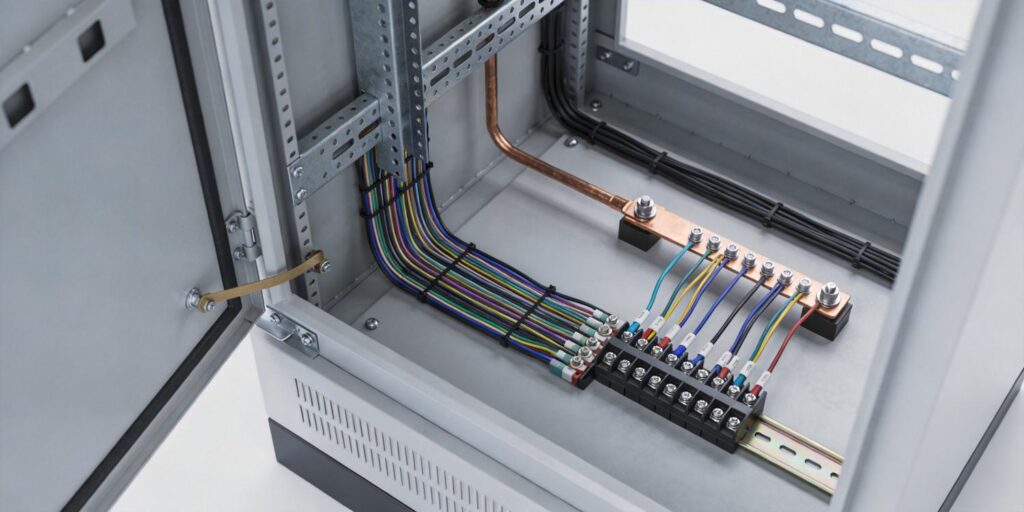
The most reliable solution is single-point (star) grounding: connect all grounds to one common reference point—typically the PLC or SCADA cabinet ground bus. This eliminates potential differences along the signal path.
Apply it to Poseidon transmitters as follows:
- Ground the transmitter housing directly to the vacuum chamber or mounting flange using the supplied grounding lug (or a #8 AWG strap).
- Route the 0–10 V signal return (Pin 3 or equivalent on RJ45 adapter) to the same PLC ground bus as the power supply negative.
- For RS232, connect the cable shield and common ground at the PLC end only—never at both transmitter and receiver.
- Avoid daisy-chaining multiple transmitters to a shared ground wire; each should return independently to the central bus.
In dual-gauge setups (VG-SP205 roughing + VG-SM225 high vacuum), share the same star point. This configuration has proven effective in heat-treatment furnace installations, reducing analog noise to <10 mV and ensuring stable crossover at 10−3 Torr. The gauges’ RJ45 interface simplifies field wiring while supporting this star topology without additional hardware.
Shield Termination Technique
Shielded twisted-pair cable is standard for analog and RS232 runs. Proper termination prevents the shield from becoming an antenna or accidental ground path.
Recommended technique:
- Terminate the shield at one end only—preferably the PLC/SCADA cabinet—using a drain wire connected to the ground bus.
- Leave the shield floating (insulated) at the transmitter end; do not connect it to the gauge housing.
- For runs >10 m, use foil + braid cable and add a 0.01 µF capacitor from shield to ground at the transmitter end to bleed high-frequency noise without creating a DC loop.
The Poseidon gauges’ RJ45 connector accepts standard Ethernet-style shielded cables. When converting to DB9 for RS232, maintain the single-end termination. This method has reduced EMI-induced drift to negligible levels in SEM and mass-spectrometer environments where high-voltage power supplies are nearby.
Electrical Isolation Modules
When single-point grounding is impractical—due to long distances, multiple power sources, or hazardous-area requirements—add galvanic isolation. A 4–20 mA or 0–10 V isolator module (loop-powered or powered) breaks the ground path while preserving signal accuracy.
Practical recommendations for Poseidon transmitters:
- Install a 0–10 V isolator (e.g., 1500 V RMS isolation) between the gauge output and PLC input for analog signals.
- For RS232, use an optically isolated serial repeater or converter.
- In hydrogen or classified areas, combine isolation with intrinsic-safety barriers rated for the gauge’s low power draw.
Isolation adds <$100 per channel yet eliminates ground-loop offsets entirely. Many plants standardize on these modules for all vacuum transmitters, achieving <0.1 % end-to-end accuracy even with 100 m cable runs.
Field Validation Testing
After installation, verify grounding effectiveness with these quick tests:
- Measure DC voltage between transmitter housing and PLC ground bus; it should be <50 mV.
- With the system at stable vacuum, disconnect the shield at one end and observe analog output change (should be <20 mV).
- Inject a known 1 V test signal into the analog line and confirm no offset appears on the pressure reading.
- Use an oscilloscope on the RS232 line to check for <50 mV peak-to-peak common-mode noise.
Perform these checks during commissioning and annually. The VG-SM225 and VG-SP205’s RS232 status codes provide additional confirmation of clean communication—no error flags during stable operation indicates proper grounding.
Troubleshooting Checklist
When unexpected drift or noise appears, follow this systematic checklist:
- Confirm single-point grounding: measure potential differences at all connection points.
- Inspect shield termination: verify it is connected at one end only.
- Check for parallel ground paths: disconnect non-essential equipment sharing the ground bus.
- Test cable integrity: swap with a known-good shielded cable.
- Insert an isolation module temporarily; if the issue disappears, permanent isolation is required.
- Review environmental factors: nearby welders, VFDs, or high-voltage supplies may require additional ferrite beads on the cable.
Most issues resolve at steps 1–3. The Poseidon gauges’ field-serviceable design and customizable protocol allow quick isolation of grounding problems without process interruption.
Conclusion: Reliable Signal Integrity for Vacuum Control
Proper signal grounding transforms the VG-SP205 Pirani and VG-SM225 Cold Cathode from accurate laboratory instruments into robust industrial transmitters. By implementing single-point grounding, correct shield termination, isolation where needed, and routine validation, engineers eliminate ground-loop errors and achieve the full performance potential of these compact, cost-effective devices. Procurement teams benefit from lower installation and maintenance costs compared with legacy imported gauges.
Need help optimizing grounding for your specific vacuum system? Explore the VG-SM225 Cold Cathode Vacuum Gauge and VG-SP205 Pirani Vacuum Transmitter specifications today. Request a sample pair with grounding recommendations, a custom RS232 wiring diagram, or application engineering support for your SCADA integration. Our team delivers practical, plant-ready solutions—contact Poseidon Scientific now and ensure noise-free, drift-free vacuum monitoring in every installation.


